The Honeywell Pro 4000 is a 5-2 day programmable thermostat designed for energy efficiency and ease of use. It features an easy-to-read display, Adaptive Intelligent Recovery, and a 5-year warranty. With step-by-step installation guides and comprehensive user manuals available, it’s ideal for homeowners seeking convenience and energy savings.
1.1 Overview of the Honeywell Pro 4000 Thermostat
The Honeywell Pro 4000 is a 5-2 day programmable thermostat designed for energy efficiency and ease of use. It features an easy-to-read display, Adaptive Intelligent Recovery (AIR), and a 5-year warranty. This thermostat is ideal for homeowners seeking convenience and energy savings. With its basic programming capabilities, it allows users to set different temperatures for weekdays and weekends. The Pro 4000 is compatible with various HVAC systems and includes a pull-out instruction manual for quick reference. Its compact design and user-friendly interface make it a practical choice for smart home upgrades.
1.2 Key Features and Benefits
The Honeywell Pro 4000 offers a range of features that enhance comfort and energy savings. Its 5-2 day programming allows users to set different temperatures for weekdays and weekends. The Adaptive Intelligent Recovery (AIR) feature ensures the system reaches the desired temperature by the scheduled time. The thermostat also includes a built-in manual override, enabling temporary or permanent adjustments. With a 5-year limited warranty, it provides durability and reliability. The easy-to-read display and pull-out instruction manual make operation straightforward. These features make the Pro 4000 a cost-effective and efficient choice for home temperature control.

System Requirements and Compatibility
The Honeywell Pro 4000 is compatible with 1 Heat/1 Cool systems (TH4110D1007) and 2 Heat/1 Cool heat pump systems (TH4210D1005), ensuring versatile installation options.
2.1 Compatible HVAC Systems
The Honeywell Pro 4000 thermostat is designed to work with various HVAC systems, including 1 Heat/1 Cool systems (TH4110D1007) and 2 Heat/1 Cool heat pump systems (TH4210D1005). It supports gas, oil, electric, and heat pump systems, making it versatile for different home setups. The thermostat is also compatible with multi-stage heating and cooling systems, ensuring efficient temperature control. Its compatibility range allows it to integrate seamlessly with most standard HVAC configurations, providing reliable performance and energy efficiency. Always verify system compatibility before installation to ensure optimal functionality.
2.2 Electrical Requirements
The Honeywell Pro 4000 thermostat requires a 24V AC power supply, typically provided by a heating, ventilation, and air conditioning (HVAC) system. It is compatible with systems using a 40VA transformer or higher. The thermostat is designed to work with standard wiring configurations, including R, W, Y, G, C, and O/B terminals. Proper wiring is essential to ensure safe and efficient operation. Always verify the electrical connections match your HVAC system’s specifications. Incorrect wiring can lead to system malfunctions or damage. Refer to the installation manual for detailed wiring diagrams and instructions specific to your system type, such as TH4110D1007 or TH4210D1005 models.

Pre-Installation Checklist
Verify HVAC system compatibility, gather tools, and ensure power is off. Check wiring connections and existing thermostat setup. Review manual for specific model requirements.
Ensure all materials are available before starting installation.
3.1 Tools and Materials Needed
To install the Honeywell Pro 4000 thermostat, you’ll need a flathead screwdriver, Phillips screwdriver, wire strippers, and a voltage tester. Ensure you have the thermostat unit, wall plate, screws, and wire connectors. A drill and wall anchors may be required for mounting. Refer to the manual for specific tools based on your HVAC system type. Gather all materials before starting to avoid delays. Ensure power is off at the circuit breaker during installation to prevent electrical hazards. Having a pencil handy for marking wire connections is also recommended.
3.2 Safety Precautions
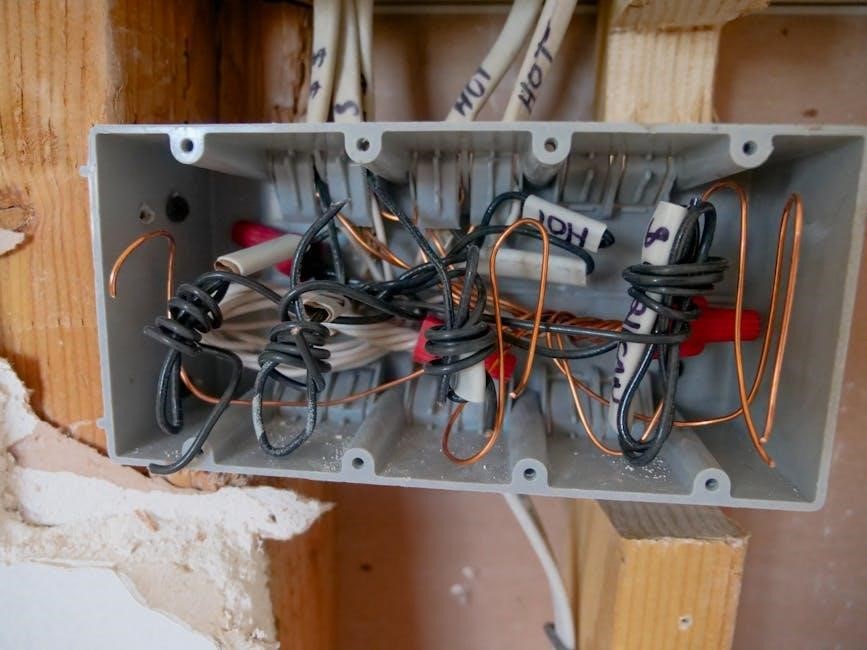
Before installing the Honeywell Pro 4000 thermostat, ensure the power to your HVAC system is turned off at the circuit breaker. Verify the power is off using a voltage tester to avoid electrical shock. Do not operate the cooling system when the outdoor temperature is below freezing to prevent compressor damage. Handle wires carefully to avoid short circuits. Wear protective gloves and eyewear if necessary. Follow all local electrical codes and safety guidelines. If unsure about any step, consult a licensed electrician or HVAC professional to ensure safe installation.
Installation Process
The Honeywell Pro 4000 thermostat installation involves mounting, wiring, and configuring the device. Follow the step-by-step guide for optimal setup, ensuring compatibility with your HVAC system.
4.1 Mounting the Thermostat
MOUNTING the Honeywell Pro 4000 thermostat is a straightforward process that requires careful preparation. First, ensure the power to your HVAC system is turned off at the circuit breaker. Remove the old thermostat and inspect the wiring. Use the provided wallplate to mark the mounting holes on the wall. Drill pilot holes if necessary and secure the wallplate with screws. Gently pull the thermostat from the wallplate and connect the wires to the appropriate terminals. Reattach the thermostat to the wallplate, ensuring it is level and firmly secured. Refer to the manual for specific model instructions.
4.2 Wiring the Thermostat
WIRING the Honeywell Pro 4000 thermostat requires careful attention to ensure proper connections. Begin by turning off the power to your HVAC system at the circuit breaker. Identify the wires from your old thermostat and label them if necessary. Refer to the wiring diagram in the manual to match the wires to the correct terminals on the new thermostat. Connect the wires securely to the appropriate terminals, ensuring no loose connections. Double-check the wiring configuration to avoid mismatches, which could damage the system. Once all wires are connected, proceed to the next installation step. Always consult the manual for specific wiring instructions.
4.3 Connecting to HVAC Systems
CONNECTING the Honeywell Pro 4000 thermostat to your HVAC system requires verifying compatibility and ensuring proper setup. The thermostat is compatible with 1 Heat/1 Cool systems and 2 Heat/1 Cool heat pump systems. For heat pump systems, ensure the model number (found on the back of the thermostat) matches your system type. Refer to the wiring diagram in the manual to connect the thermostat to your HVAC system correctly. Proper connection ensures optimal performance and prevents potential damage. Always double-check the wiring configuration before restoring power to the system. Consult the manual for specific guidelines tailored to your HVAC setup.
4.4 Final Installation Checks
AFTER completing the installation, perform a series of final checks to ensure proper functionality. Restore power to the system and verify that the thermostat display turns on. Test the thermostat by adjusting the temperature settings to confirm the HVAC system responds correctly. Check all wiring connections for accuracy and ensure no loose wires remain. Review the installation manual to confirm all steps were followed. Test both heating and cooling modes to ensure smooth operation. Finally, verify that the Adaptive Intelligent Recovery feature is enabled for optimal performance. If everything functions as expected, the installation is complete.

Programming and Scheduling
The Honeywell Pro 4000 offers 5-2 day programmability, allowing you to set different schedules for weekdays and weekends. Use the Adaptive Intelligent Recovery feature to optimize energy usage and ensure your system reaches the desired temperature at the programmed time. Temporary and permanent overrides let you adjust settings as needed, while energy-saving features help reduce consumption. Programming is straightforward, with clear instructions provided in the manual to guide you through setting up your preferred temperature schedules efficiently.
5.1 Basic Operation and Controls
The Honeywell Pro 4000 thermostat features an easy-to-read display and intuitive controls. Use the buttons to navigate through settings, adjust temperatures, and switch between heating and cooling modes. The thermostat includes a pull-out instruction manual for quick reference. Basic operation involves setting your desired temperature, which the system will maintain. The interface is user-friendly, with clear indicators for current settings and mode. The manual provides step-by-step guidance for basic functions, ensuring easy operation for all users. This design makes it simple to manage your home’s temperature efficiently and effectively, aligning with your daily comfort needs.
5.2 Setting the Time and Day
To ensure accurate temperature control, set the time and day on your Honeywell Pro 4000 thermostat. Access the time settings through the menu, using the buttons to adjust the hour, minute, and day. The thermostat features a 5-2 day programming schedule, allowing different settings for weekdays and weekends. A built-in pull-out instruction manual provides step-by-step guidance for setting the time and day. Once set, the thermostat will automatically follow your programmed schedule. This feature ensures your home maintains the desired temperature at the right time, optimizing comfort and energy efficiency. Proper time setup is essential for all advanced functions to work correctly.
5.3 Creating and Adjusting Program Schedules
The Honeywell Pro 4000 allows you to create and adjust program schedules to suit your daily routine. With 5-2 day programming, you can set different temperature settings for weekdays and weekends. Use the menu system to navigate to the scheduling section and select the desired day or period. Set temperature points for specific times, such as waking up, leaving home, or sleeping. Adjustments can be made at any time by accessing the schedule menu. The thermostat’s built-in instructions, accessible via the pull-out manual, guide you through the process. This feature ensures energy efficiency and comfort by aligning temperature settings with your lifestyle.
5.4 Temporary vs. Permanent Program Overrides
The Honeywell Pro 4000 allows users to override program schedules temporarily or permanently. Temporary overrides let you adjust the temperature without changing the main schedule, ideal for short-term needs. Permanent overrides modify the programmed settings, updating the schedule for future use. To perform a temporary override, press the touchscreen to adjust the temperature, and the thermostat will revert to the program schedule at the next setpoint. For permanent changes, navigate to the program schedule menu and adjust the temperature setpoints for specific periods. This flexibility ensures energy efficiency while accommodating changing preferences or schedules. Use the built-in instructions for guidance on overrides.
5.5 Adaptive Intelligent Recovery (AIR)
The Honeywell Pro 4000 features Adaptive Intelligent Recovery (AIR), a smart technology that ensures your HVAC system reaches the desired temperature by the scheduled time. AIR calculates the optimal start time to heat or cool your home, minimizing temperature fluctuations. This feature enhances energy efficiency by avoiding unnecessary runtime and maintaining consistent comfort. When enabled, AIR works seamlessly with programmed schedules, adjusting recovery times based on your settings. It’s particularly useful for maintaining energy savings while ensuring your home is comfortable when you need it most. This intelligent feature is a key benefit of the Honeywell Pro 4000 thermostat.
Maintenance and Troubleshooting
Regularly clean the thermostat to ensure proper functionality; Check and replace batteries as needed. Refer to the manual for common issues and reset instructions to resolve problems efficiently.
6.1 Cleaning the Thermostat
Regular cleaning ensures optimal performance and extends the lifespan of your Honeywell Pro 4000 thermostat. Use a soft, dry cloth to gently wipe the display and exterior surfaces. For stubborn dust or debris, lightly dampen the cloth with water, but avoid excessive moisture. Never use harsh chemicals or abrasive materials, as they may damage the screen or housing. Turn off the power to the HVAC system before cleaning to prevent any accidental activation. Cleaning should be done every 2-3 months or as needed to maintain functionality and accuracy. This simple maintenance step helps ensure precise temperature control and reliable operation.
6.2 Battery Replacement
The Honeywell Pro 4000 thermostat requires periodic battery replacement to maintain functionality. Turn off the HVAC system power before starting. Locate the battery compartment, usually on the front or side, and open it. Remove the old battery and dispose of it properly. Insert the new battery, ensuring correct polarity as indicated. Close the compartment and restore power. If issues persist, refer to the user manual or contact support. Battery replacement is typically needed every 1-2 years, depending on usage. Proper maintenance ensures accurate temperature control and reliable operation of your thermostat.
6.3 Common Issues and Solutions
Common issues with the Honeywell Pro 4000 thermostat include an unresponsive display, incorrect temperature readings, or system malfunctions. For an unresponsive display, ensure the thermostat is powered on and batteries are fresh. If the display is blank, check circuit breakers or fuses. For incorrect temperatures, verify the thermostat’s calibration and sensor accuracy. System malfunctions may require resetting the thermostat or checking wiring connections. Refer to the user manual for troubleshooting steps or reset the device by removing batteries for 30 seconds. If issues persist, contact Honeywell support for assistance. Regular maintenance and updates can prevent many common problems.
6.4 Resetting the Thermostat
To reset the Honeywell Pro 4000 thermostat, remove the batteries and press the reset button (if available) while the batteries are out. Reinsert the batteries after 30 seconds to restore factory settings. This process will clear all programmed schedules and custom settings, so ensure you have backups before proceeding. If no reset button is present, simply removing the batteries for 30 seconds will reset the device. After resetting, the thermostat will revert to default settings, and you’ll need to reconfigure your preferences. This is useful for resolving persistent issues or preparing for a new installation.

Energy Efficiency and Savings
The Honeywell Pro 4000 promotes energy savings through programmable scheduling and energy-saving features. Its Adaptive Intelligent Recovery (AIR) optimizes heating/cooling cycles, reducing unnecessary energy consumption and lowering bills.
7.1 Optimizing Energy Usage
The Honeywell Pro 4000 helps optimize energy usage through programmable scheduling and energy-saving features. Its 5-2 day programming allows users to set different temperatures for weekdays and weekends, aligning with their routines. The Adaptive Intelligent Recovery (AIR) feature ensures the system reaches the desired temperature efficiently, avoiding unnecessary energy consumption. By setting consistent temperatures and utilizing energy-saving modes, homeowners can reduce their energy bills while maintaining comfort. The thermostat’s design prioritizes energy efficiency, making it an ideal choice for those looking to lower their environmental impact and save on utility costs.
7.2 Understanding Energy-Saving Features
The Honeywell Pro 4000 thermostat is designed with energy-saving features to help reduce utility bills and environmental impact. Its 5-2 day programming allows users to customize temperature settings for weekdays and weekends, optimizing energy use when the home is unoccupied. The Adaptive Intelligent Recovery (AIR) feature ensures the system reaches the desired temperature efficiently, avoiding unnecessary energy consumption. Additionally, the thermostat’s programmable schedules and energy-saving modes encourage consistent temperature settings, which can significantly lower energy usage. With these features, homeowners can enjoy both comfort and cost savings while supporting energy efficiency goals.
Warranty and Support
The Honeywell Pro 4000 thermostat is backed by a 5-year limited warranty, covering defects in workmanship and materials. Customer support resources, including manuals and troubleshooting guides, are available online to assist with installation, operation, and maintenance, ensuring optimal performance and user satisfaction.
8.1 Warranty Information
The Honeywell Pro 4000 thermostat is covered by a 5-year limited warranty, ensuring protection against defects in materials and workmanship under normal use. This warranty applies to the thermostat itself, excluding the battery, and provides customers with peace of mind. The warranty period begins on the date of purchase, as indicated on the sales receipt. Honeywell stands behind the quality of its products, offering reliable support and service. This warranty underscores Honeywell’s commitment to delivering durable and efficient solutions for home temperature control.
8.2 Customer Support and Resources
Honeywell offers comprehensive customer support and resources for the Pro 4000 thermostat. Users can access online manuals, video tutorials, and troubleshooting guides to assist with installation, programming, and maintenance. The official Honeywell website provides downloadable PDF manuals, ensuring easy access to detailed instructions. Additionally, Honeywell’s customer service team is available to address queries and provide assistance. These resources empower users to optimize their thermostat’s performance, troubleshoot issues, and maximize energy efficiency. With a focus on user convenience, Honeywell ensures a seamless experience for homeowners using the Pro 4000 thermostat.

Additional Resources
Access online manuals, video tutorials, and downloadable PDF guides for the Honeywell Pro 4000 thermostat on Honeywell’s website and partner YouTube channels like Jones Air Conditioning & Electric.
9.1 Online Manuals and Guides
Honeywell provides comprehensive online resources for the Pro 4000 thermostat, including downloadable PDF manuals and user guides. These materials cover installation, programming, and troubleshooting. Visit Honeywell’s official website or partner platforms like ManualsLib to access detailed instructions. Additional resources include video tutorials on YouTube channels such as Jones Air Conditioning & Electric, offering step-by-step guidance for optimal setup and operation. These guides ensure users can efficiently utilize the thermostat’s features, including Adaptive Intelligent Recovery and energy-saving schedules, to maximize comfort and efficiency.
9.2 Video Tutorials and Instructions
Video tutorials for the Honeywell Pro 4000 thermostat are available on platforms like YouTube, offering visual guidance for installation, programming, and troubleshooting. Channels such as Jones Air Conditioning & Electric and Roys provide detailed step-by-step instructions. These videos cover topics like basic operation, setting schedules, and using features like Adaptive Intelligent Recovery. They also demonstrate how to override programs temporarily or permanently. These resources are ideal for users who prefer visual learning, ensuring a smooth and confident setup process. Videos are concise, clear, and accessible, making complex tasks easier to understand and execute effectively.